Medicare Login Step-by-Step Guide 2026 | ServicesAustraliaPortal.com
Logging in to your Medicare online account should be simple, but it doesn’t always feel that way. Maybe you’re not sure whether to use myGov, maybe you’ve forgotten your password, or maybe you just want to check a claim quickly without any fuss. This guide walks you through the entire Medicare login process step by step, in plain Australian English, so you know exactly what to do.
What Is the Medicare Online Account?
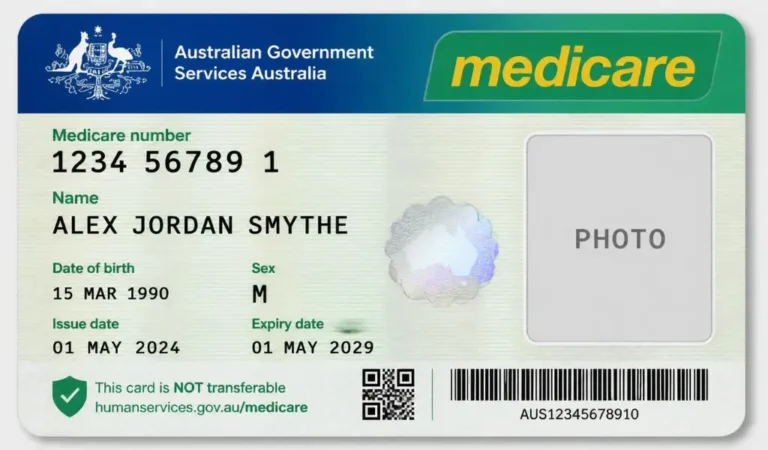
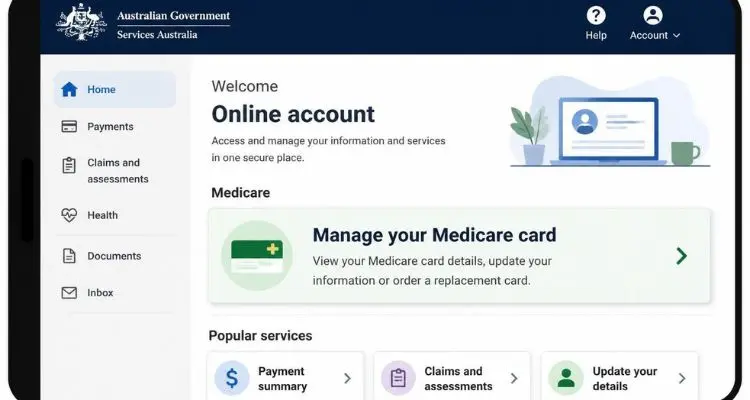
Your Medicare online account lets you manage your Medicare details without needing to call or visit a service centre. Once signed in through myGov, you can view your claims history, check your Medicare card details, update your bank account for rebates, and manage your immunisation history, all from your phone or computer.
Requirements Before You Log In
Before you begin, make sure you have:
- Your myGov username (usually your email address)
- Your myGov password
- Access to your linked sign-in option, such as an SMS code or the myGov code app
- Your Medicare card number, if you’re linking your account for the first time
- A stable internet connection
With these ready, you’ll be signed in within a couple of minutes.
How to Link Medicare to Your myGov Account (If You Haven’t Yet)
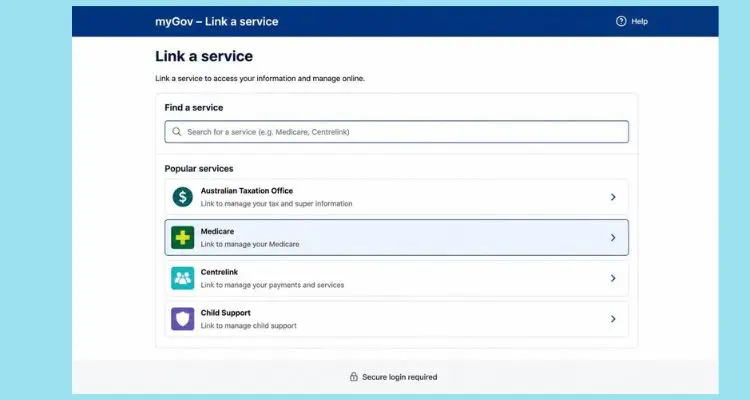
If this is your first time accessing Medicare online, you’ll need to link it to myGov first.
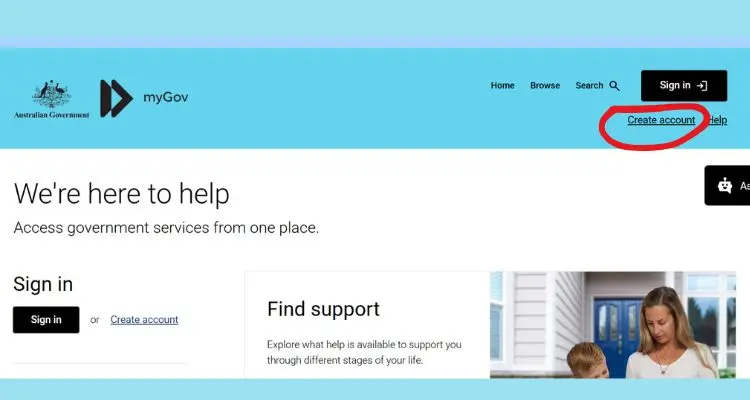
- Sign in to my.gov.au, or create an account if you don’t already have one.
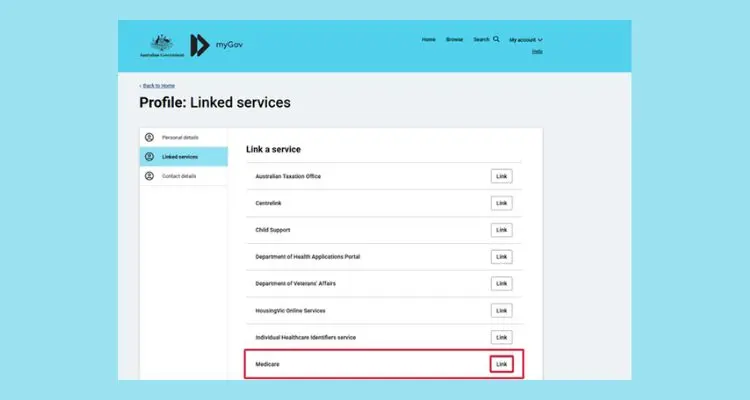
- Select Link a service from your myGov dashboard.
- Choose Medicare from the list of services.
- Enter your Medicare card number and personal details to verify your identity.
- Follow the prompts to complete the linking process.
Once linked, Medicare will appear on your myGov dashboard every time you sign in.
Step-by-Step Guide: How to Log In to Medicare
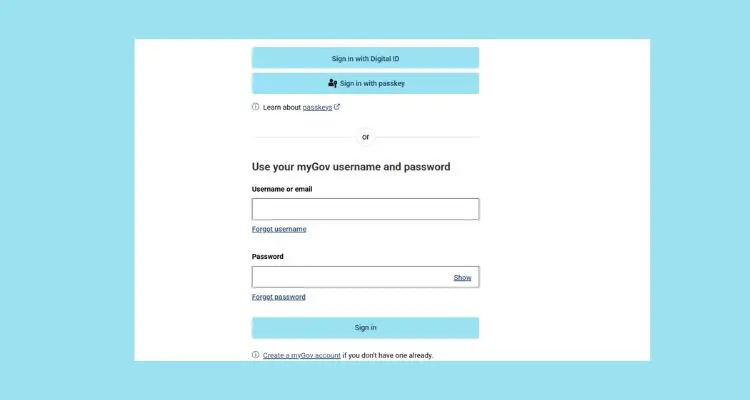
- Go to my.gov.au.
- Enter your myGov username and password.
- Complete your chosen sign-in option, such as an SMS code or the myGov code app.
- Select Medicare from your list of linked services.
- You’ll be taken directly to your Medicare online account dashboard.
That’s it, you’re signed in and ready to go.
What You Can Do After Logging In to Medicare
Once you’re inside your Medicare online account, you can easily:
- View your Medicare claims history and processed benefits
- Check the details on your current Medicare card
- Request a replacement Medicare card
- Update your bank account details for Medicare rebates
- View and update your immunisation history
- Add or update family members on your Medicare card
Everything is organised in one dashboard, so you can find what you need without any back and forth.
Medicare Login Errors and How to Fix Them
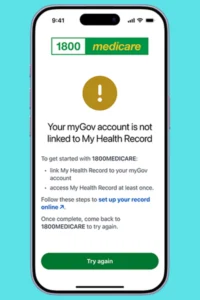
Most login issues are quick to resolve:
- Incorrect username or password – Double-check for typos and ensure Caps Lock is off.
- Medicare not appearing after linking – Make sure your Medicare card details match your myGov personal details exactly.
- Page not loading – Try a different browser, or clear your browser’s cache and cookies.
- Account temporarily locked – Wait a few minutes, then use the password reset option.
How to Reset Your myGov Password for Medicare Access
If you’ve forgotten your password, follow these steps:
- On the myGov sign-in page, select Forgot password.
- Enter your myGov username and verify your identity.
- Check your email or phone for the reset link or code.
- Set a new password and sign in again.
You’ll usually be back into your Medicare account within a few minutes.
Medicare Login Not Working? Try These Fixes
If you’re still having trouble, try the following:
- Switch to an up-to-date browser such as Chrome, Safari, or Edge.
- Restart your device and attempt to sign in again.
- Disable any browser extensions that might be interfering with the page.
- Check that your internet connection is stable.
- Wait a while and try again, as myGov occasionally undergoes scheduled maintenance.
Logging In to Medicare on the Express Plus Medicare App
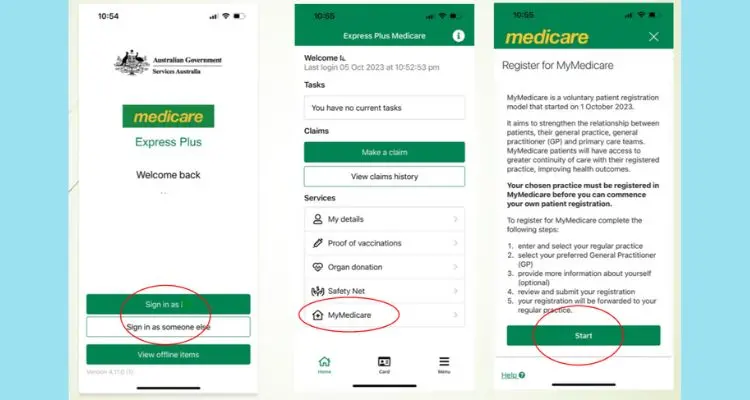
You can also manage your Medicare account through the Express Plus Medicare app, available for Android and iOS.
- Download the Express Plus Medicare app from the Google Play Store or Apple App Store.
- Open the app and sign in with your myGov details, or use a linked Face ID or fingerprint option.
- View your claims, card details, and immunisation history straight from your phone.
The app is a handy option when you need to check something on the go.
Medicare Login for New Residents and Visa Holders
If you’ve recently arrived in Australia and are eligible for Medicare under a reciprocal health care agreement, you’ll first need to enrol for a Medicare card at a Services Australia service centre before you can create your online account. Once your card is issued, you can link it to myGov and log in the same way as any other member.
How to Keep Your Medicare Account Secure
Your Medicare account holds sensitive health and personal information, so it’s worth being careful. Use a strong, unique password, avoid logging in on public Wi-Fi, keep your registered email and phone number up to date, and always sign out when you’re finished, especially on shared devices. Never share your myGov password or sign-in codes with anyone, including callers claiming to be from Medicare.
FAQs About Medicare Login
Q: Do I need myGov to log in to Medicare?
Yes, myGov is the standard way to access your Medicare online account for most services.
Q: I forgot my myGov username. What should I do?
Select Forgot username on the myGov sign-in page and follow the prompts using your registered email or phone number.
Q: Can I check my Medicare claims without logging in?
No, you’ll need to sign in to your linked Medicare account through myGov or the Express Plus Medicare app to view your claims history.
Q: Can I log in to Medicare on my phone?
Yes, through your mobile browser or the Express Plus Medicare app.
Q: Why won’t Medicare link to my myGov account?
This usually happens when your personal details don’t exactly match your Medicare card record. Double-check spelling, date of birth, and address before trying again.
Conclusion
The Medicare login process is straightforward once your account is linked through myGov. From checking your claims history to requesting a replacement card, your Medicare online account puts everything at your fingertips. Keep this guide handy whenever you need a refresher, so managing your Medicare details never feels complicated.